How do I manage my shows across my Benecaster account?
Your Benecaster plan determines how many shows you can run — 1 for Launch through Pro, up to 3 for Multi-Show, and unlimited for Studio.
Shows can be on any combination of WordPress sites. A Multi-Show license, for example, can support one site with all 3 shows, three separate sites each running one show, or anything in between — at the same price either way. You can connect as many installations as your plan allows shows, and no more.
You manage shows from the Benecaster admin dashboard on each WordPress site where the plugin is installed. The show switcher in the Benecaster top bar lets you move between shows on the same installation.
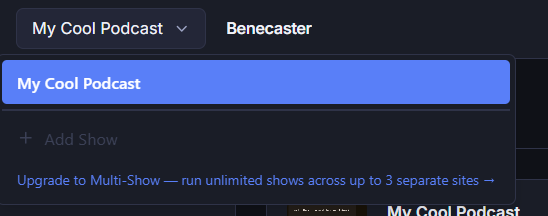
When you reach your plan’s show limit, the Add Show button is disabled and an upgrade prompt appears. To add another show, upgrade to Multi-Show (up to 3 shows) or Studio (unlimited shows) from your account at benecaster.com.
To reassign a license slot to a different show, remove the existing show from your account on benecaster.com. Removal takes effect immediately — the removed show loses access at that moment and you’ll receive a confirmation email. The freed slot is then available to assign to a new show.